Physical Address
304 North Cardinal St.
Dorchester Center, MA 02124
Physical Address
304 North Cardinal St.
Dorchester Center, MA 02124

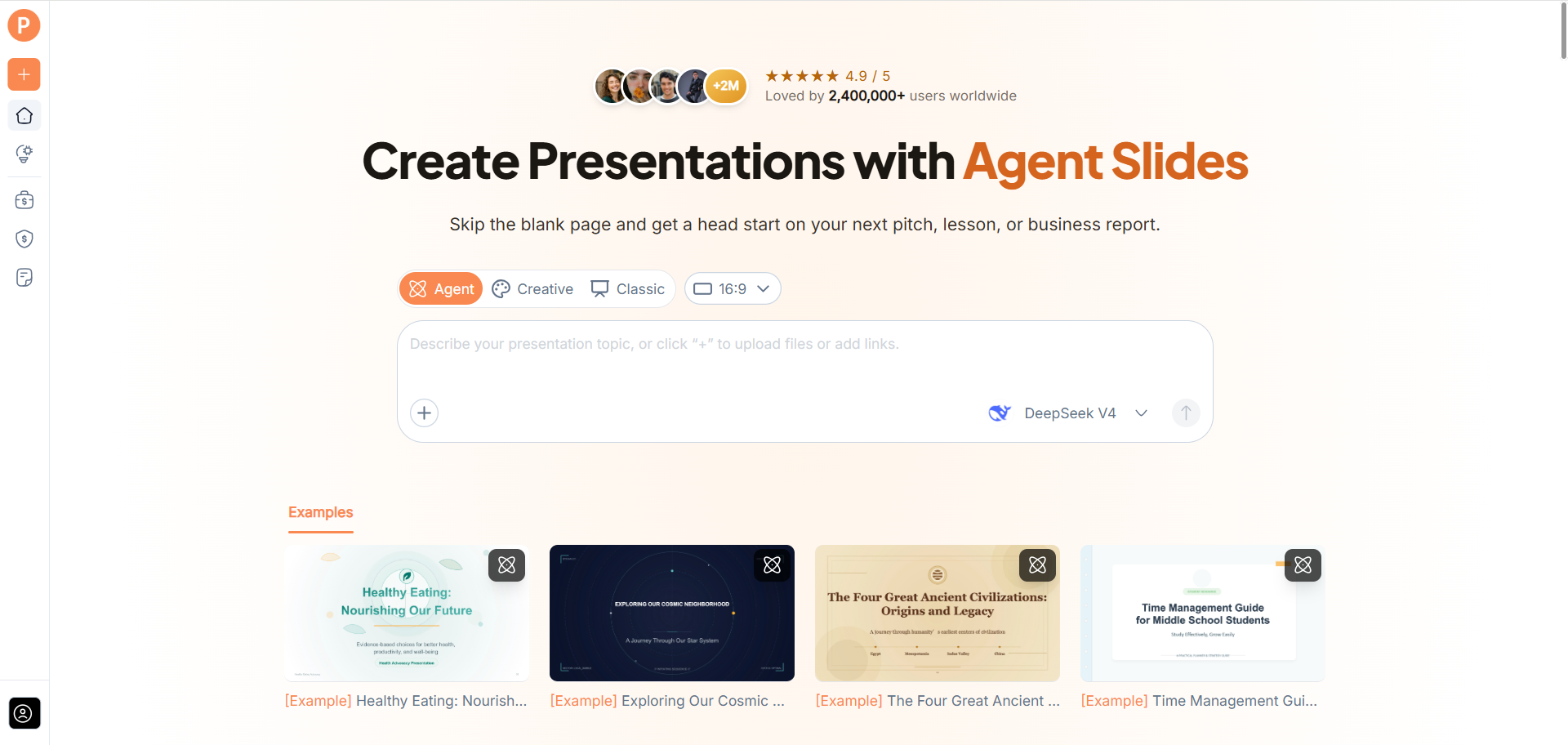
The first prompt is rarely the complete brief. You remember an audience concern after writing it, realize a term needs explaining, or notice that the draft emphasizes the wrong point. AI PPT Maker addresses this part of presentation work through Agent’s multi-round conversational workflow.
That feature is worth examining separately from slide appearance.
A useful AI tool should accommodate the way people develop an explanation. Sometimes the purpose becomes clearer only when there is a draft to react to.
AI PPT Maker provides a route for adding that context through conversation, alongside outline review and PPTX export.
People often search for a perfect instruction that will produce a finished presentation immediately.
A more practical approach is to treat the prompt as a short brief: source, audience, purpose, emphasis, and boundaries.
Those elements give AI PPT Maker useful direction without requiring elaborate wording.
A clear request might say:
Use this report to create a presentation for colleagues unfamiliar with the project. Explain the main result, relevant evidence, and proposed next step. Keep estimates separate from confirmed results.
The wording is ordinary. The information is what matters.
A topic alone leaves too much open.
“Create slides about customer service” could mean a training session, a report, or a proposal. Explain what the audience should understand or decide.
This helps AI PPT Maker organize the material around a purpose rather than produce a broad overview.
Teachers, founders, managers, and students can all use this principle even when their subjects differ.
AI PPT Maker supports mixed input across its three modes, including text, uploaded files, webpages, and video sources.
That means the prompt does not need to contain every source detail.
You can provide the material and use the instructions to explain how it should be treated.
For example, a document supplies the factual information while a short note explains the meeting’s priority.
This separation makes the request easier to write and easier to review.
When several sources are included, clarify their roles.
One may be the current approved report. Another may provide background. A third may contain suggestions that are not yet agreed.
AI PPT Maker should not be expected to infer which source is authoritative.
Explicit instructions help preserve those distinctions and make factual checking more manageable.
Agent mode supports multi-round conversation.
A follow-up can add context that was missing from the original request:
The audience already understands the background. Give more attention to the trade-offs in the proposed next step.
Another can clarify a term or explain why a particular example matters.
The value is a developing brief. You do not have to keep replacing the entire request with a longer version.
That suits presentation work, where clarity often improves through revision.
“Make it better” is hard to assess.
A specific instruction identifies the problem and gives a basis for checking the result.
Examples include:
These instructions improve the brief without encouraging unsupported claims.
AI PPT Maker is more useful when the feedback names what the audience needs.
Requests such as “make this more persuasive” can encourage stronger language.
That may be inappropriate when the material contains uncertainty.
Explain the reasoning you want clarified, and retain the qualification in the source. A forecast should remain a forecast. A small observation should not become a universal claim.
The product review should consider whether the draft preserves those boundaries.
All three modes in AI PPT Maker allow outline review and adjustment before generation.
For Agent, the conversation helps develop the brief; the outline shows how that brief has been organized.
Read the headings together. Can the audience follow the explanation? Is the main point visible? Does the sequence support the meeting’s purpose?
This stage gives you something concrete to assess before judging the final design.
A presentation can look polished while leaving an essential question unanswered.
If the outline lacks the evidence for a recommendation, fix that gap before generating pages.
AI PPT Maker provides the structure to review. The user’s knowledge determines whether the explanation is complete enough for the task.
Agent supports sharing a conversation link.
That can help a colleague understand the presentation request and the context supplied during development.
A reviewer may be able to see why the brief emphasizes one section or distinguishes certain information.
This should be treated as conversation sharing, rather than assumed to provide live co-editing or a complete approval workflow.
It is a useful capability when its role is understood.
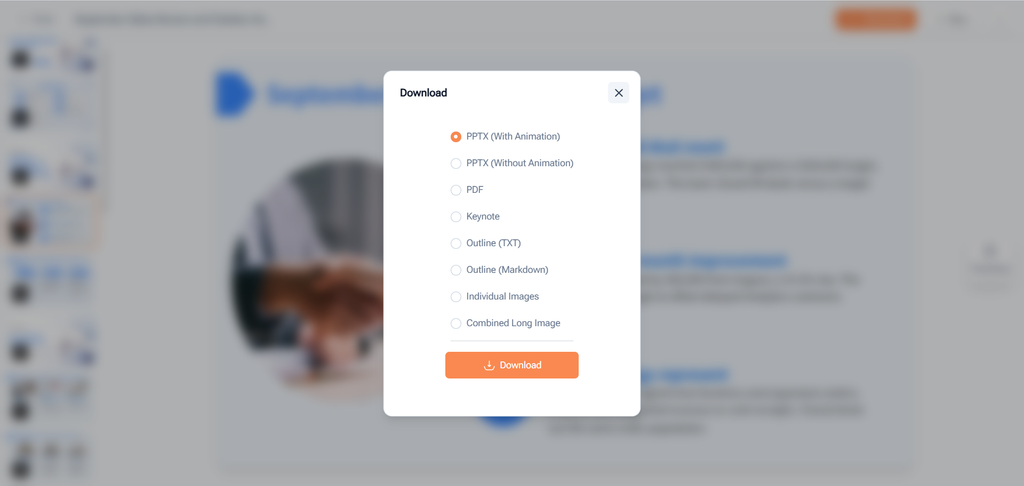
Agent includes AI image generation and exports PPTX.
Conceptual visuals can help explain an idea when appropriate. They should not be presented as factual evidence of an actual event or result.
PPTX export allows continued work in PowerPoint after the conversational drafting stage.
Creative offers a visual approach with PNG output, while Classic provides templates and additional downloads including PDF, Keynote, and outlines.
AI PPT Maker therefore offers several routes beyond the initial prompt.
A product review should not assess only the first result.
Choose a familiar source, write a clear brief, then add a specific clarification through Agent. Inspect the outline and final content against your intended message.
Other options include PPT Maker and NoteGPT’s AI Slide Generator. The distinctive point to examine in AI PPT Maker is how conversation supports the development of the presentation request.
AI PPT Maker offers a practical approach for people whose presentation brief improves through discussion and revision. Provide the source, explain the purpose, and use specific follow-ups to add context. Try AI PPT Maker(https://aipptmaker.ai/) with one familiar subject, then review the outline and exported draft. Keep PPT Maker(https://pptmaker.io/) in mind as another option as you compare AI-assisted presentation workflows.
