Physical Address
304 North Cardinal St.
Dorchester Center, MA 02124
Physical Address
304 North Cardinal St.
Dorchester Center, MA 02124

You can screenshot any regular chat, group message, profile picture, or Status update without the other person ever knowing. WhatsApp sends zero notifications for screenshots on both iPhone and Android.
⚠️ One exception: View Once photos and videos now BLOCK screenshots entirely (as of 2024). More details below.
I’ll be honest — I’ve been in your exact situation. Someone sends a wild message, and you need to screenshot it for your best friend immediately. But that split-second panic of “wait, will they KNOW?” hits you because Snapchat has trained us all to be paranoid. I’ve tested this extensively across both my iPhone and Android devices, and I’m here to give you the full breakdown so you never have to hesitate again.
Let’s start with the most common scenario. You’re in a private DM or a group chat, and someone sends something screenshot-worthy. Whether it’s a text message, a photo someone sent normally, a voice message transcript, or a video — you can screenshot freely. WhatsApp has never implemented screenshot notifications for regular conversations, and there’s no indication they plan to.
This applies equally to iPhone and Android. It doesn’t matter if you’re using WhatsApp Business or regular WhatsApp. The other person will have absolutely no idea you took a screenshot. Their app won’t show any icon, notification, or indicator whatsoever.
✅ Bottom line: Screenshot that dramatic group chat message right now. Nobody will know. I promise.
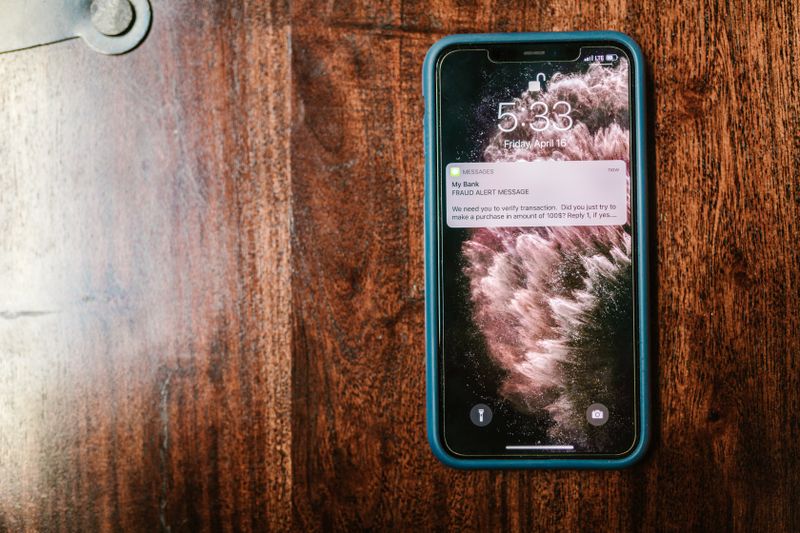
Here’s where things get serious. Since late 2024, WhatsApp completely BLOCKS screenshots and screen recordings of View Once media. When you open a View Once photo or video, your screen goes black if you try to capture it. This works on both iPhone and Android.
Previously, WhatsApp only sent a notification to the sender when you screenshotted View Once content. Now they’ve gone further and made it technically impossible. The media is displayed in a protected layer that your phone’s screenshot function cannot capture. You’ll just get a black image.
🚫 Important: You cannot screenshot, screen record, or use screen mirroring to capture View Once media. WhatsApp has implemented DRM-level protection. Don’t waste your time trying — it will just show black.
Good news if you’re saving someone’s profile picture or screenshotting their Status story — WhatsApp does NOT notify them. Unlike Instagram (which shows who viewed your Story but doesn’t alert for screenshots) or Snapchat (which alerts for everything), WhatsApp keeps profile picture and Status interactions completely private.
You can screenshot someone’s profile photo, their About section, their Status updates (photos, videos, text), and even their Last Seen information without any risk. They won’t see you in any “screenshotted by” list because that feature simply doesn’t exist in WhatsApp.
If you screenshot during a WhatsApp video call or use your phone’s screen recording feature to capture the call, WhatsApp does NOT notify the other participants. There’s no visual indicator, sound, or alert sent to anyone on the call.
That said, screen recording a video call does raise ethical considerations. Just because WhatsApp won’t snitch doesn’t mean you should record private conversations without consent. But from a purely technical standpoint — no, they won’t know.
| Scenario | Snapchat | ||
|---|---|---|---|
| Regular DMs | No notification ✅ | Notifies sender ❌ | No notification ✅ |
| Disappearing media | Blocked entirely 🔒 | Notifies sender ❌ | Notifies (Vanish Mode) ❌ |
| Stories/Status | No notification ✅ | Notifies sender ❌ | No notification ✅ |
| Video calls | No notification ✅ | Notifies ❌ | No notification ✅ |
So there you have it. For regular chats, group messages, profile pictures, Status updates, and video calls — screenshot away with zero fear. The only content WhatsApp protects is View Once media, and even then it blocks the screenshot rather than notifying the sender. Your receipts are safe, your friend will get that forwarded screenshot, and nobody will be the wiser. Now go capture that message before they delete it.
