Physical Address
304 North Cardinal St.
Dorchester Center, MA 02124
Physical Address
304 North Cardinal St.
Dorchester Center, MA 02124

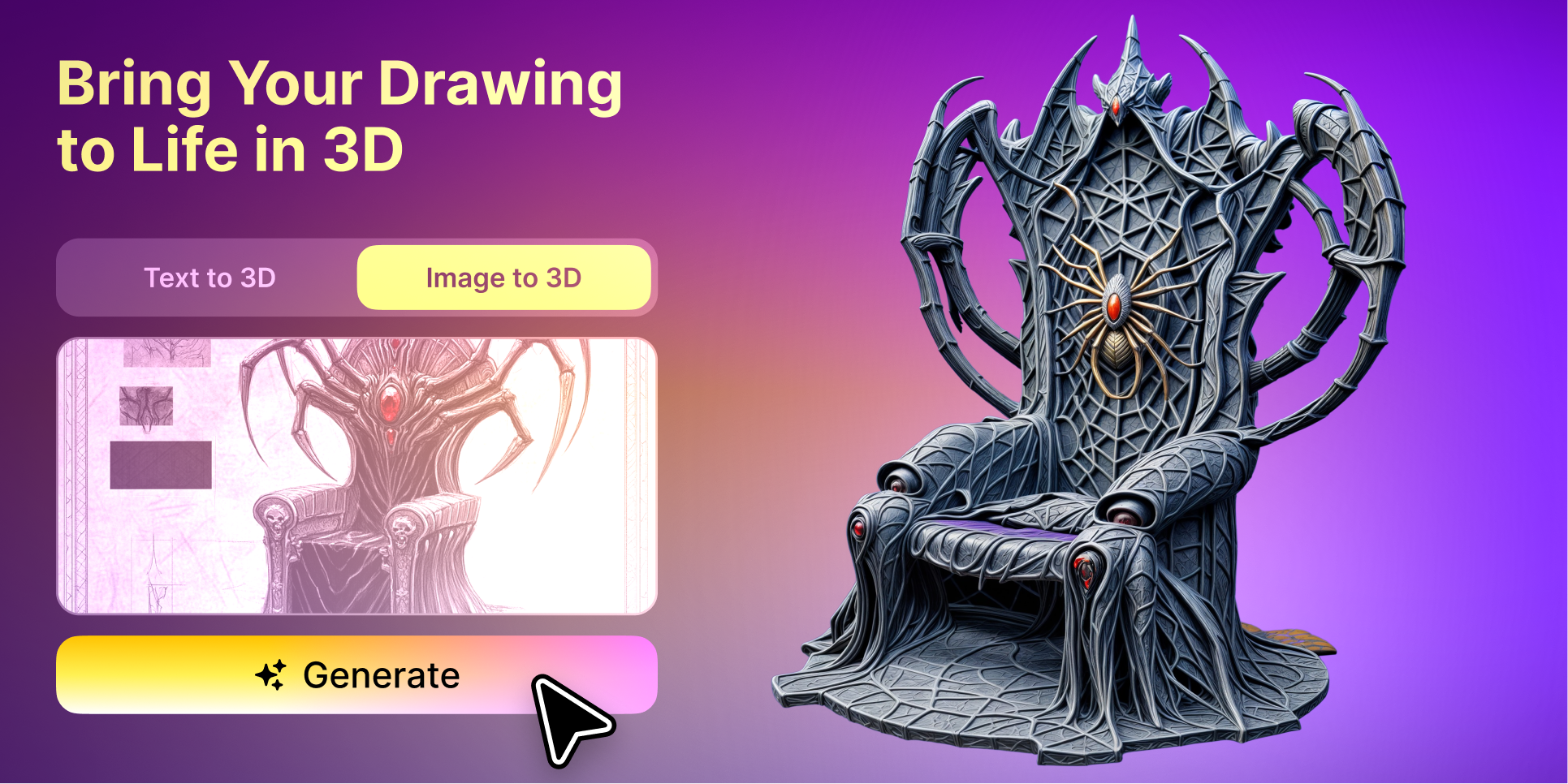
Most visual projects begin with a flat image.
A product photograph is resized for an online store. An illustration is cleaned up before being added to a portfolio. A social media image is cropped for several platforms. A character sketch is placed against a simpler background so the main subject stands out.
These small editing tasks are already part of everyday digital content creation.
What is changing is what can happen after the image has been prepared.
Instead of remaining a static JPG or PNG, a clear visual reference can now become the starting point for a 3D model. This creates a new connection between familiar image editing tools and emerging AI 3D workflows.
For designers, marketers, game creators and small businesses, the image is no longer always the final asset. It can also serve as the source material for something that can be rotated, viewed from different angles and reused across a wider range of content.
AI tools may automate part of the 3D creation process, but the quality of the original image still matters.
A busy photograph with several objects, a complicated background and uneven lighting gives the system more visual information to interpret. It may be unclear which part of the image should become the main model.
A cleaner image gives the workflow a stronger starting point.
Before converting an image into 3D, it is often helpful to:
These steps are simple, but they help define what the system should focus on.
The process is similar to preparing an image for a product page or social post. Good composition makes the subject easier for people to understand, and it can also make the reference easier for an AI system to interpret.
Image to 3D generation usually works best when the source image contains one main object.
A clean photograph of a chair, backpack, toy, shoe or decorative item provides a clearer reference than a full room containing many different products.
The same principle applies to illustration.
A single character on a plain background is easier to interpret than a crowded scene containing several people, props and environmental details.
If the original image is complex, cropping can help isolate the subject. Background removal can make the silhouette clearer. Basic colour correction can also reveal details that may otherwise be lost.
This does not guarantee a perfect model. A single image only shows one viewpoint, so the system may still need to estimate the hidden sides of the object.
Even so, a well prepared reference can reduce unnecessary errors and provide a more useful first result.
The next step is to move from the edited image into a 3D generation workflow.
Platforms such as Meshy allow creators to upload a reference image and generate a textured 3D asset through a browser. This makes it possible to begin experimenting without manually building every surface in traditional modelling software.
The original image provides the visual direction.
The generated model can then be rotated and examined from multiple angles. This helps the creator understand whether the shape, proportions and style work outside the original two dimensional composition.
The result should be treated as an initial asset rather than a guaranteed finished model.
Some projects may only require a visual concept. Others may need further cleanup, material adjustments, geometry optimisation or more precise modelling before the asset can be used professionally.
Product photography is one of the most practical starting points for image to 3D workflows.
A small business may already have photographs created for its website, social accounts or digital catalogue. Those images are useful, but each one is limited to the angle that was originally captured.
A 3D model can offer additional possibilities.
The product may be shown from different viewpoints. It can be placed into a simple digital scene. It may be used in a rotating animation, a presentation or an interactive product page.
This can help brands create more visual material from the content they already own.
Possible applications include:
Accuracy is important when the model represents a real product.
The generated shape, colour, logo and material should be compared with the original item before the asset is used in customer facing content. AI can speed up the early stage, but the brand still needs to check whether the result represents the product honestly.
Illustrators and character designers can also use their existing artwork as a starting point.
A flat character image may already contain a clear visual identity, including colour, clothing and proportions. Converting it into 3D allows the creator to explore how the design might look from other angles.
This can be useful for:
The hidden areas of the character may not match the artist’s original intention because they were not visible in the source image.
That is where human review remains important.
The generated model can help reveal design questions, but the creator still decides how the character should look from the side and back.
Game development often requires a large number of objects before the project reaches its final visual style.
A small team may need props, furniture, tools, weapons, vehicles and environmental objects simply to test a level.
Creating polished versions of every asset too early can consume time and money before the gameplay has been validated.
An AI 3D model maker can help turn concept images into initial assets that can be placed inside a prototype.
For example, a developer could begin with an illustration of a fantasy chest or science fiction device. The generated model could then be imported into a test scene to check scale, placement and visual direction.
The asset may later need to be rebuilt or refined by a 3D artist. That does not make the prototype model useless.
Its purpose is to help the team make decisions earlier.
Visual content on social platforms is increasingly built around short motion.
A static image can still perform well, but creators often need several versions of the same idea to keep a campaign active.
A 3D model can help extend the original image into new formats.
The subject might rotate slowly, appear in a simple animated scene or be shown from a series of changing angles. Even a short movement can make a familiar product or illustration feel different.
The same model may support:
The 3D asset does not replace the original photograph or illustration. It gives the creator another way to present the same idea.
Not every image is equally suitable for 3D generation.
Good candidates usually have:
Difficult candidates may include reflective objects, transparent materials, crowded scenes and subjects that are heavily hidden behind other elements.
A low quality image may also lead to unclear textures or incorrect details.
Preparing the reference first is therefore part of the 3D workflow, not a separate task.
Cropping, resizing, background cleanup and format conversion can all help create a more usable source image.
AI image to 3D tools are making 3D creation more accessible, but they do not remove the need for judgement.
Generated models may have:
The level of correction depends on the final purpose.
A simple model used for a concept presentation may require very little additional work. A game character, printable object or product visual may require more careful preparation.
Creators should evaluate the model according to how it will actually be used.
A practical process can look like this:
This workflow connects familiar image preparation with a newer form of content creation.
Online image tools have traditionally helped creators improve, resize and convert flat visual assets.
AI 3D generation expands what those prepared images can become.
A clean product photograph may become a reusable model. A character illustration may become a prototype game asset. A marketing image may become the basis of a short animation or interactive presentation.
The image is still important. In fact, careful preparation becomes even more valuable when the picture is used as the foundation for a 3D object.
The most effective workflow is not simply to upload any image and hope for a perfect result. It is to prepare the reference carefully, generate an initial model and then decide how much refinement the final project requires.
As visual workflows continue to expand, image editing and 3D creation are becoming less separate. One increasingly leads into the other.
