Physical Address
304 North Cardinal St.
Dorchester Center, MA 02124
Physical Address
304 North Cardinal St.
Dorchester Center, MA 02124

An image library becomes unreliable when the most useful edit quietly replaces the source. The new file may have a cleaner background and better contrast, so colleagues download it without hesitation. Months later, nobody can show which pixels were licensed, which were generated, or whether the crop removed a required credit.
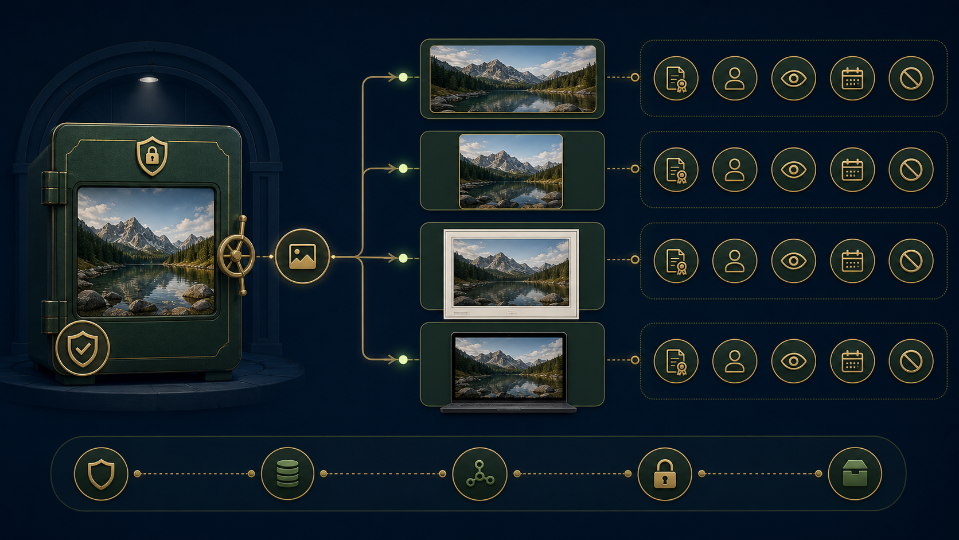
The answer is not to ban derivatives. It is to give every derivative a lineage. A master–derivative ledger keeps the licensed or captured source intact, states why each edit exists, and makes the path from source to published asset visible.
Designate one immutable master for each acquired image. Store the original filename, source or photographer, acquisition date, licence record, credit requirement, model or property releases when applicable, and any usage limits. The master folder should not accept routine editing saves.
Create a working copy with a new asset identifier before cropping, cleaning, enhancing, or converting. A copy that shares the source filename invites accidental replacement. The identifier should remain stable even if the published platform assigns a different URL.
Record an exact byte size or checksum for the master. The value does not establish copyright, but it confirms that a later auditor is looking at the acquired file rather than a compressed preview. Generate a new value for every derivative instead of reusing the source fingerprint.
Do not treat embedded metadata as the only rights record. Upload services and editing pipelines may strip it. Keep the licence and credit in the library database or sidecar record, then verify what metadata remains in the derivative.
Preserve orientation and colour information as technical evidence too. A viewer may see a correct preview while a downloaded file rotates or shifts colour in another application. The library should record any normalisation applied during intake before creative editing begins.
Every derivative needs a destination and purpose: newsroom crop, transparent product cutout, colour-corrected archive preview, social card, or print export. “Improved version” is not a purpose because it gives reviewers no boundary for acceptable change.
| Ledger field | Question | Example |
| Purpose | Why does this derivative exist? | Square contributor card |
| Allowed change | Which pixels or properties may differ? | Crop and exposure only |
| Protected evidence | What must remain? | Face, badge, background sign |
| Rights boundary | Where may it be used? | Owned channels through licence term |
A purpose can require several exports without several creative edits. One approved candidate may be converted to WebP for the site and JPEG for a newsletter. Record those as delivery children of the same visual derivative, not as independent masters.
Use a parent–child view in the library so users can see every available delivery format without mistaking one for a new creative version. The visual derivative owns the approval verdict; its children inherit that verdict only when conversion leaves the protected evidence unchanged.
When the intended edit would conflict with the licence or misrepresent the source, stop at intake. Removing a photographer’s required mark, creating an unlicensed advertising use, or inventing product detail is not a technical cleanup task.
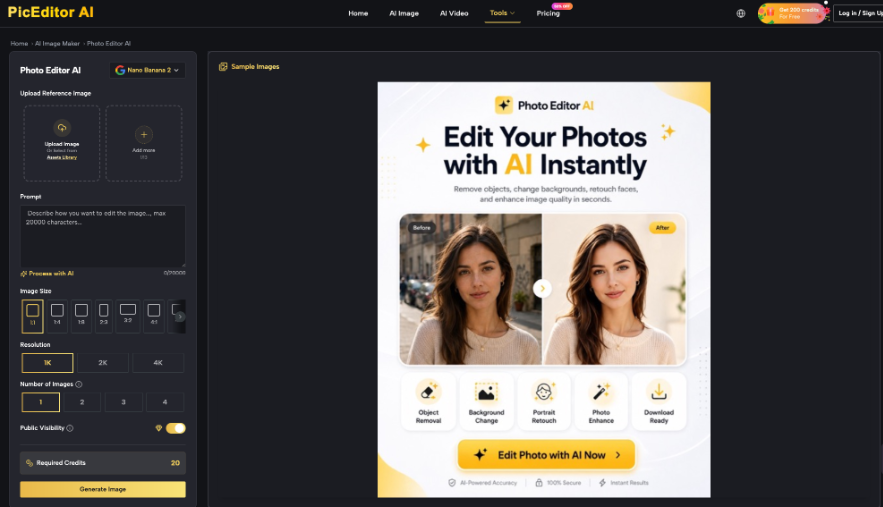
PicEditor AI’s official site offers focused image tools for background removal, object erasure, enhancement, upscaling, background change, restyling, and other common workflows. The home upload supports JPEG, PNG, and WebP files up to 30 MB. Select the tool that matches the derivative’s declared purpose.
Write one bounded instruction around the working copy. For a library preview, that may be: “Reduce the yellow colour cast and keep every person, expression, garment, object, sign, crop boundary, and shadow direction unchanged.” Save the exact input, route, settings, and candidate under the derivative ID.
An AI Photo Editor can create a candidate, but it cannot decide whether the library’s licence permits the planned destination. PicEditor AI handles the visual operation; the ledger and rights record control approval.
Some focused PicEditor AI pages expose public visibility, credits, resolution, or output-count controls. Review the current interface before submitting restricted images. Do not infer a privacy guarantee from an earlier session or a different tool page.
If the master contains embargoed, personal, or otherwise restricted material, create a permitted input or choose an approved internal workflow. A derivative ledger records what happened; it does not turn an unauthorised upload into an acceptable one.
Begin with a side-by-side pixel review at equal size. Check the protected evidence, crop, colour relationships, identity, readable marks, and background context. Enhancement must not convert uncertainty into a crisp but invented detail.
Then run the rights review against the exact candidate. Confirm destination, term, territory, credit, modification permission, and any restrictions on advertising or sensitive contexts. A visually faithful derivative still fails if its use exceeds the permission attached to the master.
Check the caption and crop together. A tighter crop may remove a contextual object that made the caption accurate, while a cleaned sign may erase the location cue named in the record. Rights and factual meaning can change through composition even when the main subject remains intact.
Use pass, restricted pass, or reject. Pass fits the declared purpose and rights. Restricted pass requires a visible credit, limited channel, expiry date, or internal-only label. Reject covers factual drift, unclear provenance, forbidden modification, or an unsupported destination.
Record rejected versions rather than deleting the verdict. A small contact sheet with reason codes shows why a later colleague should not revive the most dramatic candidate. Keep the source and rights record separate from experimental files.
Schedule a second review for high-use derivatives after they appear in real layouts. A background that seemed neutral in isolation may conflict with a headline or make a product claim look endorsed. The destination screenshot belongs in the derivative record, not in the master.
The library entry should display the master ID, derivative ID, purpose, approved destination, edit description, tool and prompt, review date, reviewer, credit, licence boundary, and expiry or recheck trigger. Users should be able to reach the master record without receiving permission to overwrite it.
When teams use a photo editing tool inside an image platform, PicEditor AI candidates should enter the library as derivatives, never as silent replacements. The lineage makes generated or reconstructed areas reviewable and keeps acquisition evidence intact.
Make withdrawal operational. The library record should list every known publication and the owner responsible for replacement. Removing the derivative from search is insufficient when cached pages, newsletters, or partner systems still serve the file.
Run a periodic orphan check for derivatives whose master, licence, or owner can no longer be resolved. Quarantine them from new use until the lineage is repaired. Popularity is not provenance, and an asset should not remain approved merely because it has already appeared many times.
Retire a derivative when its licence expires, its destination changes, or a new source reveals visual error. Preserve the ledger entry and withdrawal reason. A trustworthy library does not pretend every published image lasts forever; it shows what the team knew, what it changed, and where the result was allowed to travel.
