Physical Address
304 North Cardinal St.
Dorchester Center, MA 02124
Physical Address
304 North Cardinal St.
Dorchester Center, MA 02124

AI video creation is becoming faster and more realistic, but one detail can still make a video feel obviously edited: the speaker’s mouth does not match the audio. Magic Hour Lip Sync is designed to solve that problem by automatically synchronizing visible mouth movements with a new voice or audio track.
Whether you are translating a video into another language, replacing dialogue, creating UGC-style advertisements, producing AI avatar content, or updating an old training video, Magic Hour can help you create a more believable result without manually editing mouth movements frame by frame.
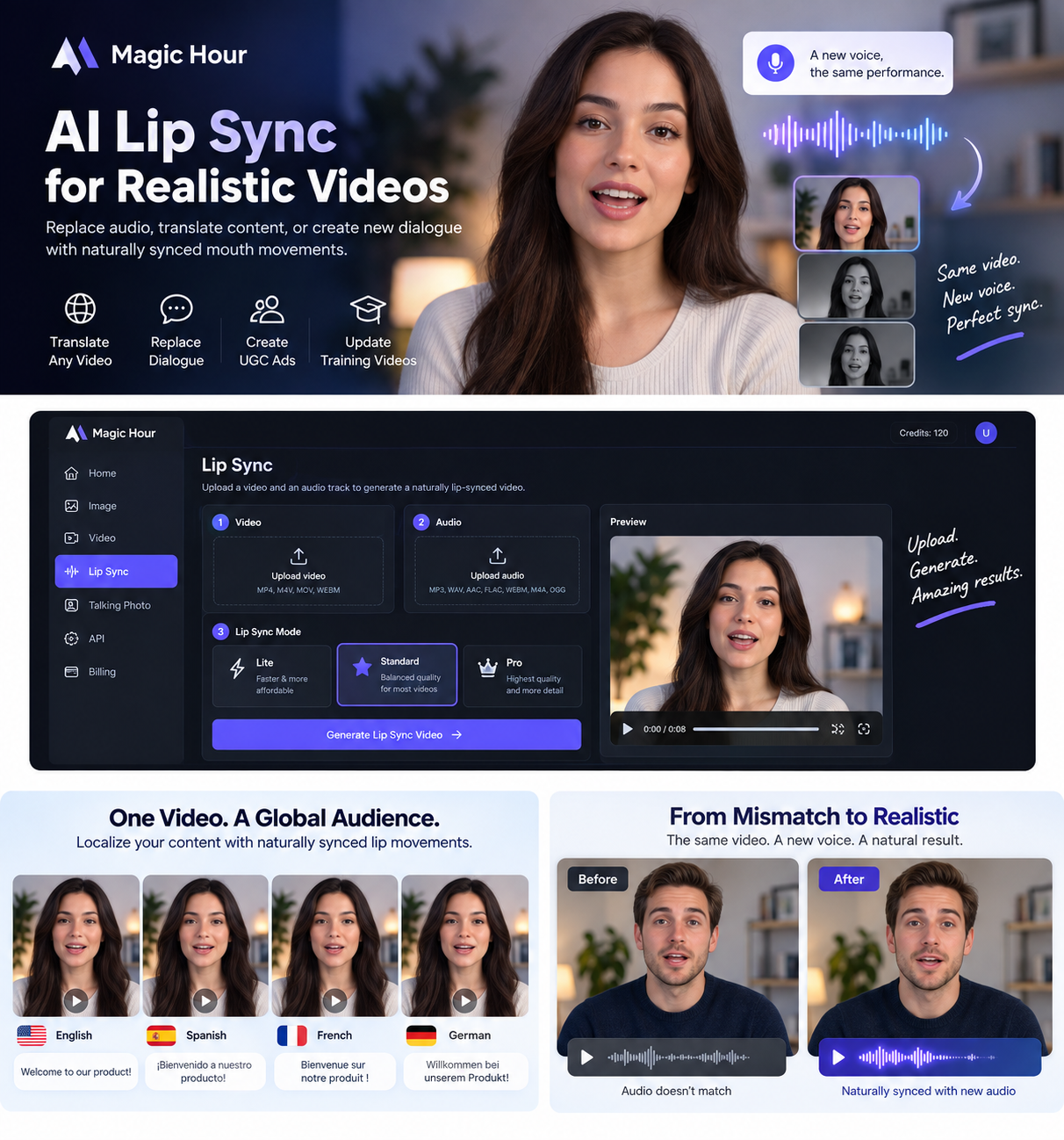
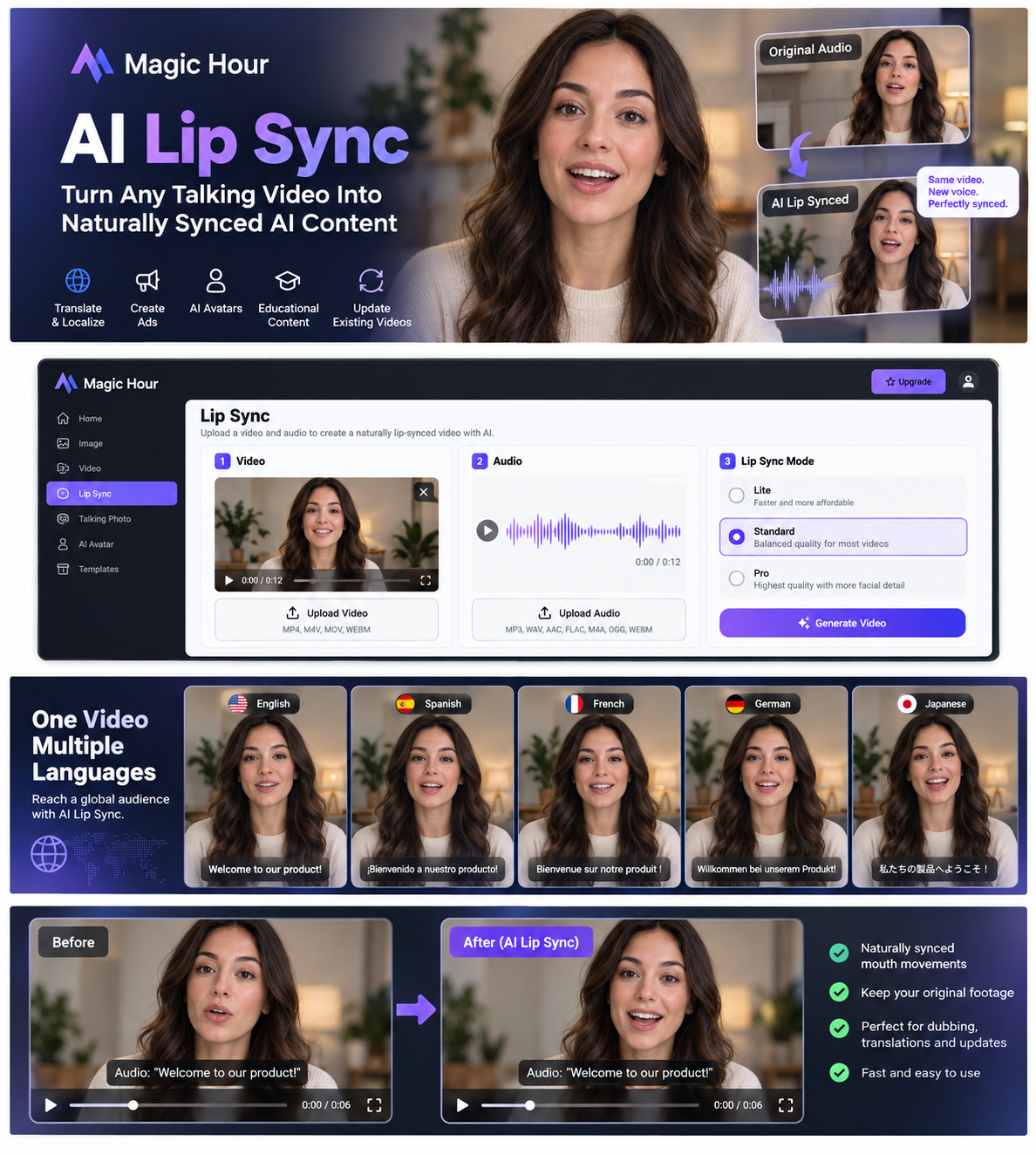
Magic Hour Lip Sync is an AI-powered video tool that takes an existing video and a separate audio track, then generates a new version where the person’s mouth movements follow the supplied speech or audio more closely.
Instead of manually adjusting individual frames, the AI analyzes the person’s face, mouth movement, timing, and replacement audio. It then generates updated facial motion intended to make the speaker appear to be saying the new words.
This makes the tool particularly useful when you already have good footage but want to change what the person is saying without arranging another complete recording session.
The workflow is straightforward. You provide a video, upload the audio that the speaker should follow, select the appropriate lip-sync mode, and generate the result.
Add a video containing a clearly visible face. Talking-head footage usually works particularly well because the AI has a clear view of the person’s mouth, expressions, and facial movement.
Upload the speech, dialogue, translated voiceover, narration, or other audio you want the person in the video to follow.
Magic Hour offers multiple processing modes so creators can choose between faster generation, affordability, and higher visual detail depending on the project.
Magic Hour processes the video and audio together and creates an updated lip-synced version that you can review before publishing.
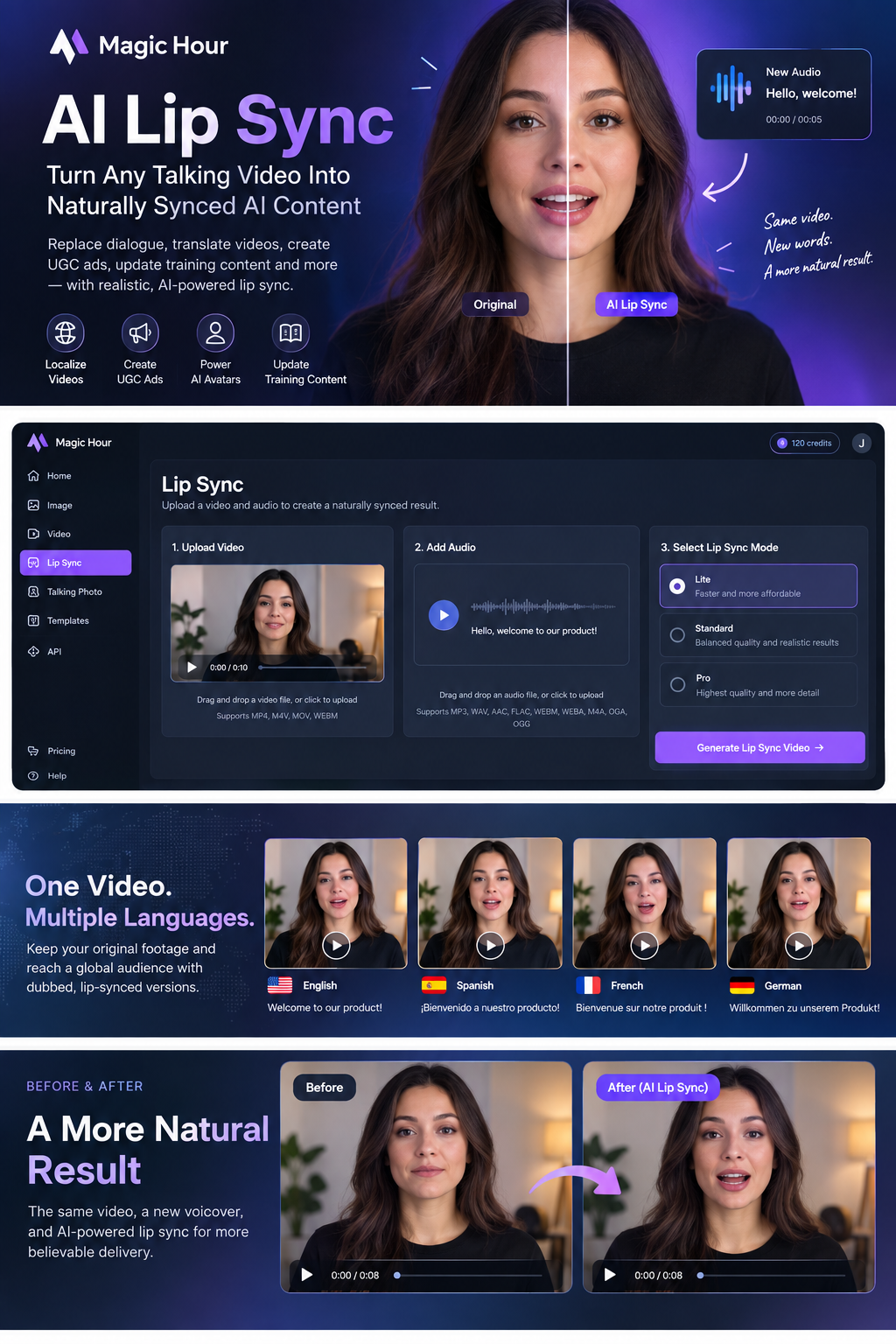
Magic Hour provides different lip-sync modes designed for different production needs. This allows creators to balance speed, cost, and visual quality depending on how the finished video will be used.
| Mode | Best For | Main Advantage |
|---|---|---|
| Lite | Testing, simple clips, drafts, and faster production | Designed for faster and more affordable generation |
| Standard | Talking-head videos and everyday creator content | Balanced visual quality and realistic synchronization |
| Pro | Professional content and detailed face footage | Greater attention to facial detail, mouth shape, teeth, and texture |
The best mode depends on your source footage, available credits, desired generation speed, and how polished the final video needs to appear.
Replacing the audio in a video is easy. Making the person on screen appear to have actually spoken that new audio is much harder.
Traditional dubbing can leave an obvious mismatch between the words viewers hear and the mouth movements they see. AI lip sync adds a visual correction layer that can make localized or replaced dialogue feel significantly more natural.
The biggest advantage: one strong piece of footage can potentially be reused for different scripts, languages, audiences, advertisements, or campaigns without filming every version from scratch.
Localization is one of the strongest applications of AI lip sync. A company or creator can retain the original footage while replacing the dialogue with translated audio.
Instead of showing a speaker visibly saying one language while viewers hear another, lip synchronization can help adapt the visible mouth movement to the translated track.
Brands often want to test the same advertisement across several countries, customer groups, or regions. Traditionally, this may require filming multiple versions of essentially the same creative.
With AI lip sync, marketers can potentially reuse the same visual performance while adapting the spoken message for different markets.
UGC-style advertisements are popular across TikTok, Instagram Reels, YouTube Shorts, and other short-form video platforms.
If one creative performs well, Magic Hour can help creators experiment with alternative voiceovers, offers, scripts, and localized versions without rebuilding the entire video.
Sometimes a video is still visually perfect, but one line has become outdated. A product name may have changed, a promotion may have ended, a price may need updating, or company information may need correction.
Instead of reshooting the whole video, creators can replace the relevant dialogue and use AI lip sync to help the updated audio fit the original footage.
AI presenters and digital avatars become more convincing when their visible facial movement matches the supplied voice.
Lip synchronization can therefore be useful for virtual presenters, educational characters, marketing avatars, explainers, social content, and automated video systems.
Training videos can become outdated because of only a few words or sentences. Re-recording an entire module because a policy, product name, procedure, or interface changed can be inefficient.
AI lip sync gives organizations another way to reuse valuable footage while updating the spoken information.
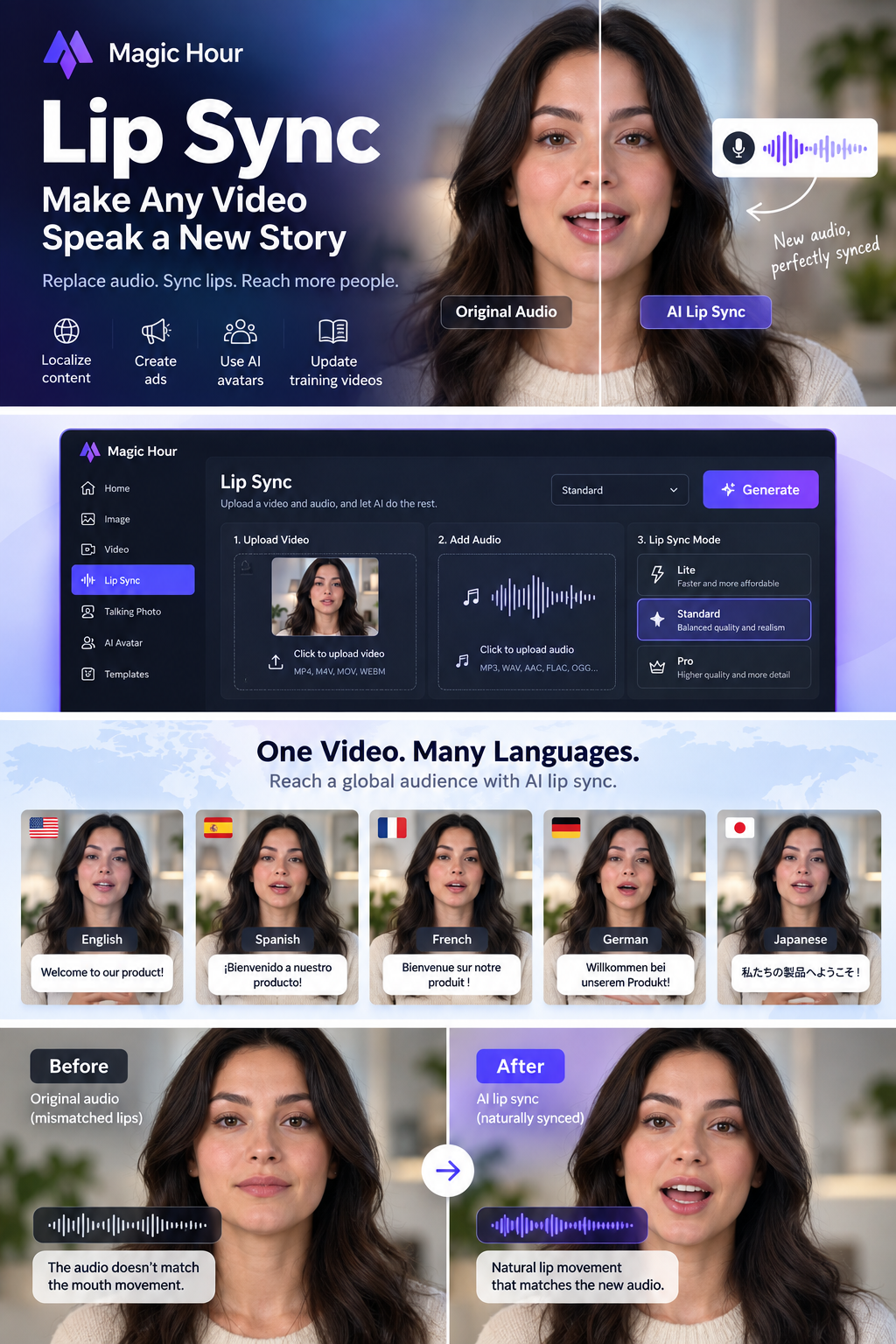
One of the most valuable aspects of AI lip synchronization is the ability to treat a strong piece of video footage as reusable creative material rather than a finished, single-language asset.
Imagine recording a polished product presentation once. The same footage could potentially be adapted for audiences speaking English, Spanish, French, German, Arabic, Japanese, or other languages by combining translated audio with AI-assisted mouth synchronization.
This can be particularly useful for global brands, SaaS companies, online educators, ecommerce businesses, international marketing agencies, and creators building audiences in more than one country.
Magic Hour provides a simplified free Lip Sync experience that makes it possible to experiment with the technology before moving into a larger paid production workflow.
This can be useful when you want to test your own source footage and understand how well AI lip synchronization works for your particular recording style.
Instead of judging the technology only from demonstration videos, you can try your own speaker, lighting conditions, camera angle, script, and replacement voice.
Magic Hour supports common media formats, making it suitable for typical creator, marketing, and editing workflows.
AI can automate much of the process, but source quality still matters. Better video and audio inputs generally give the model more useful information and improve your chances of producing a believable result.
Choose footage where the speaker’s face and mouth are easy to see. Extreme profile views, heavy obstruction, very small faces, or objects passing in front of the mouth can make synchronization more difficult.
Speech should be understandable and reasonably clear. Loud background noise, overlapping speakers, distortion, or inconsistent audio can make automated processing more difficult.
A well-lit face gives the AI clearer visual information. Avoid footage where strong shadows completely hide the speaker’s mouth or facial features.
Lip sync can alter visible mouth movement, but gestures and body language still come from the original recording. Replacement dialogue works best when it remains compatible with the speaker’s overall expression and performance.
If the audio and selected video segment differ significantly in duration, the final result may not feel natural. Prepare and trim the media carefully before generation.
Pay particular attention to fast speech, long pauses, head turns, large mouth movements, emotional expressions, and transitions before publishing.
Magic Hour is not limited to a browser-based creator interface. It also provides a Lip Sync API for developers who want to incorporate automated lip synchronization into websites, applications, or large-scale media workflows.
API access is especially interesting when videos need to be created automatically rather than one at a time through a manual editor.
Developers can explore the Magic Hour Lip Sync API for programmatic workflows.
| Feature | Traditional Dubbing | AI Lip Sync |
|---|---|---|
| Replace original dialogue | Yes | Yes |
| Automatically modify visible mouth movement | Usually no | Yes |
| Requires manual video work | Often | Can significantly reduce it |
| Create multiple language versions | Possible but labor-intensive | Well suited to scalable workflows |
| Useful for rapid content testing | Limited | Strong use case |
| API automation | Not normally part of dubbing itself | Available through platforms such as Magic Hour |
AI lip synchronization can be useful for a broad range of creators, marketing teams, organizations, and developers.
For a long time, recorded video was relatively rigid. Editors could cut footage, change colors, replace audio, crop frames, or add effects, but changing what a person visibly appeared to say required much more specialized work.
Generative AI is changing that.
Voices can now be generated, translated, and transformed. Digital presenters can be animated. Existing footage can be adapted. Lip-sync technology adds another important capability by allowing the visible performance to better follow replacement dialogue.
As these tools improve, creators may increasingly think about video footage as reusable source material rather than a permanently fixed final asset.
For marketers, this means more creative testing. For international businesses, it means easier localization. For creators, it means getting more value from existing footage. For developers, it opens opportunities to build entirely new automated video products.
Magic Hour Lip Sync is an AI video tool that combines source footage with a replacement audio track and generates updated mouth movements designed to match the new speech more naturally.
Yes. Video localization and dubbing are among the strongest use cases for AI lip-sync technology because creators can combine translated speech with existing footage.
Yes. It can be useful for UGC advertisements, localized campaigns, alternate promotional messages, product updates, and rapid creative testing.
Clear face and mouth visibility usually provides better source information for lip synchronization and can help improve the quality of the generated result.
Yes. Magic Hour provides a Lip Sync API that can be incorporated into applications and automated video-generation workflows.
Not in every situation. Professional dubbing remains valuable when detailed acting, translation, voice direction, and sound engineering are required. AI lip sync is especially useful when speed, scalability, localization, and content repurposing are priorities.
Magic Hour Lip Sync addresses one of the most noticeable problems in dubbed and repurposed video: mismatched speech and visible mouth movement.
Its real value goes beyond the visual effect itself. It makes existing footage more reusable.
One recording can potentially become multiple localized advertisements, revised product messages, educational versions, social media creatives, training updates, or personalized videos without filming the original performance again.
For creators, marketers, businesses, and developers exploring AI video, Magic Hour offers an approachable way to experiment with automated lip synchronization while also providing API options for larger production systems.
Upload a video and replacement audio track to Magic Hour and see how AI-powered lip synchronization can transform your existing footage.
Try Magic Hour Lip Sync