Physical Address
304 North Cardinal St.
Dorchester Center, MA 02124
Physical Address
304 North Cardinal St.
Dorchester Center, MA 02124

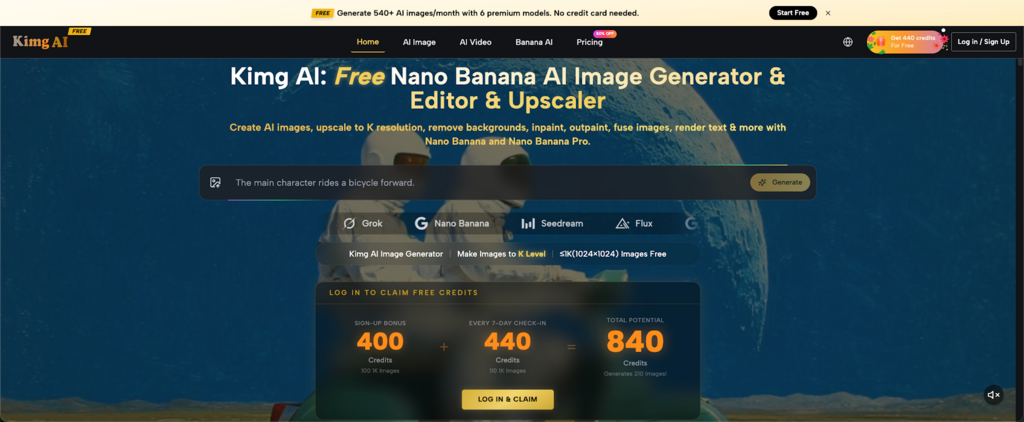
When GPT Image 2 dropped, the AI image generation space got noticeably louder. Everyone suddenly wanted to test it, compare it, and push its limits. If you’re in that camp, here’s something worth knowing: Kimg AI already hosts it alongside a lineup of other top-tier models — including Google’s Nano Banana, available right on the platform. You don’t need five separate tabs or five separate accounts. One place, all the models.
Kimg AI gives every new user 400 credits the moment they register. No credit card required. Those credits work across all models on the site — GPT Image 2, Nano Banana, Flux, Seedream, Grok Imagine, and more.
Check in for 7 consecutive days and you’ll earn an additional 440 credits. Combined with the sign-up bonus, that’s 840 credits — enough to generate well over 200 images using premium models without spending a dime.
At the free tier, all generated images come out at 1K (1024×1024), which is perfectly usable for social media, mockups, and general creative work. If you need 2K or 4K, that’s behind a membership — but for testing and exploration, 1K is more than adequate.
GPT Image 2 is the reason many people land on Kimg AI — but it’s rarely the reason they stay. The platform runs a full roster of models, and once you start switching between them, you notice how differently each one handles the same prompt.
The standout for image editing is Nano Banana — a Google-developed model built into Kimg AI that covers a lot of ground most standalone tools charge separately for. Here’s what it actually does well:
Type a prompt, get an image. Nano Banana handles complex scenes, character descriptions, and stylistic direction without much fuss. It reads prompts with solid accuracy and doesn’t require excessive hand-holding.
You can upload up to 4 reference images when working with Nano Banana, making it useful for projects where consistency matters — character sheets, brand visuals, storyboards. Feed it a reference and it’ll carry the look through your output.
Want your photo in a flat illustration style? An anime aesthetic? A cinematic film look? Nano Banana handles style transfers cleanly, without turning your original subject into a smudged approximation of your intent.
Swap out a background, remove a distracting element, or drop in a new object — all through natural language. You describe what you want changed; the model handles the rest.
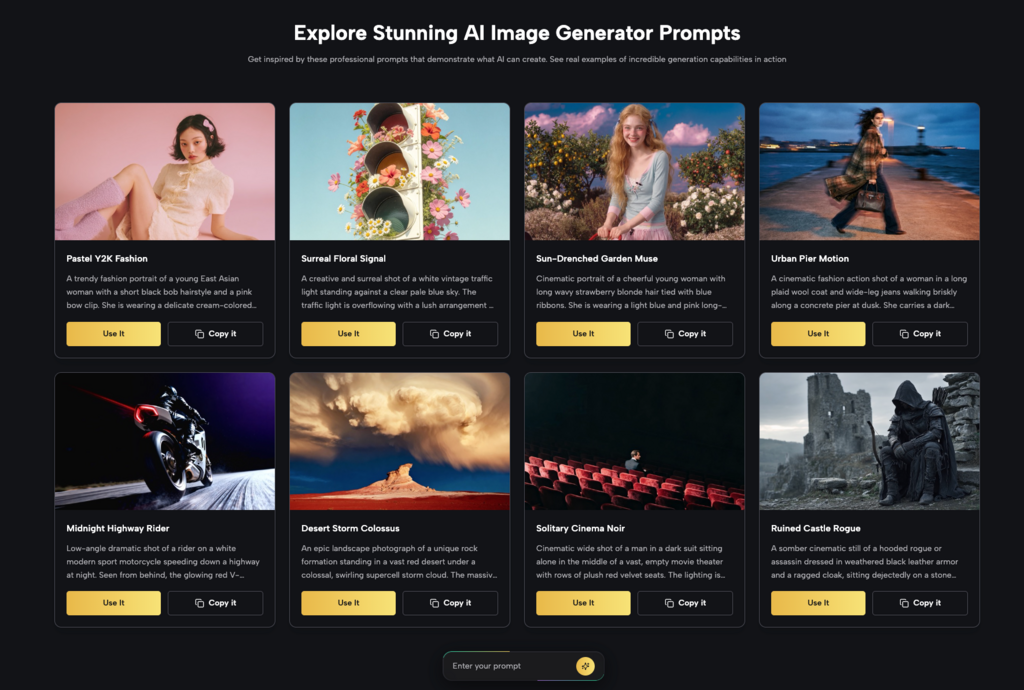
This is one of the more practical things about Kimg AI: you’re not locked into a single model. The platform gives you access to a solid range, so you can test and compare without leaving the site.
OpenAI’s latest image generation model, now accessible directly through Kimg AI. Strong on instruction-following, detail, and text rendering within images.
Google’s Nano Banana model lives on Kimg AI as both a standard and Pro version. The Pro variant is built for professionals who need sharper fidelity, tighter prompt execution, and richer detail.
If speed matters more than anything else, Seedream is the pick. It’s built for high-volume workflows and rapid iteration without sacrificing a professional baseline of quality.
Flux is the context-aware editing specialist. It’s excellent at modifying specific elements in an image while leaving the rest intact — and it handles text-in-image generation better than most models.
xAI’s image model, available in the same interface as everything else. Useful for comparison, especially if you’re evaluating outputs across different model architectures.
Not an image model, but a natural extension of the workflow. Once you’ve generated an image you like, Veo 3 can animate it into a short video with native audio — dialogue, ambient sound, effects — generated automatically.
Kimg AI runs on a credit system, where different models cost different amounts per generation. Here’s a quick breakdown of the free path:
Automatic on registration. No hoops to jump through.
Log in once a day for seven straight days. That’s 440 more credits on top of your starting 400.
With 840 credits, you’re looking at 200+ standard image generations using models like Nano Banana AI. That’s a meaningful amount of creative output — more than enough to decide whether a model fits your workflow before ever thinking about a subscription.
There’s a real problem with how most people explore AI image tools: you end up with a dozen browser tabs, separate logins, and no easy way to compare outputs side by side. Kimg AI solves this by putting everything in one place.
Run the same prompt through GPT Image 2, Nano Banana, and Flux consecutively. See which one interprets your prompt the way you need it to. This kind of comparison would normally require multiple separate subscriptions.
Generate an image with Nano Banana, refine it with Flux, then animate it with Veo 3 — all without switching tools or re-uploading files. The end-to-end creative chain lives on a single platform.
The free tier is genuinely functional. You can explore the full range of models, test your use cases, and generate hundreds of images before deciding if a paid plan adds enough value for your specific needs.
Kimg AI caters to a wide range of users, but a few groups in particular will find the multi-model setup especially useful:
High-volume visual production across multiple styles and formats is exactly what this setup is built for. Rapid iteration, style switching, and consistent character output across posts.
Product mockups, campaign visuals, and ad creatives all benefit from the reference image support and commercial use rights that come with all generated content on Kimg AI.
Testing model outputs before committing to a style, exploring different aesthetics without starting from scratch each time, and animating still work through Veo 3 are all legitimately useful additions to a design workflow.
Most people will try GPT Image 2, get impressed, and move on. A smaller group will stick around long enough to notice that different models handle different things — and that knowing when to switch is half the job.
Kimg AI is a good place to build that instinct. You get 840 free credits just for signing up and checking in for a week. Use them. Run the same prompt through three different models. See what breaks, what surprises you, what you’d actually use in a real project.
That’s more useful than any comparison article, including this one.
