Physical Address
304 North Cardinal St.
Dorchester Center, MA 02124
Physical Address
304 North Cardinal St.
Dorchester Center, MA 02124

It can be frustrating when an iPhone accidentally loses important photos, and sometimes it can be impossible to retrieve them.
It typically occurs when performing normal functions, such as cleaning storage, updating iOS or resetting the device. Losing precious memories, key screenshots, or business-related photos is only a single click away.
Users frequently look into the “Recently Deleted” folder and assume their files will be there, but they are surprisingly gone. After that, recovery is likely to be quite tricky.
There are also those who experience loss of photos following iOS updates, factory resets without backup, device crashes, and even a sync problem between a device and iCloud. At this stage, the only viable solution is to pursue recovery with third-party recovery software.
But nearly all the tools say the same thing: high recovery rate, deep scanning technology and full iOS compatibility. However, in reality, it is not such a simple matter.
To find out what actually works, I tested 10 popular iPhone photo recovery tools under real data-loss conditions and compared their actual recovery performance instead of relying on marketing claims.
We’ve employed several practical devices and various data loss scenarios, rather than one controlled case, to ensure fair testing.
This enabled us to learn about the behaviour of each tool in a real recovery scenario, and not in an ideal scenario.
Each tool was scored based on practical performance rather than advertised features.
| Criteria | Weight | What It Means |
| Photo recovery success rate | 40% | How many deleted photos were actually recovered |
| Scan speed | 20% | Time taken to complete a full scan |
| Supported recovery scenarios | 15% | Types of data loss situations supported |
| Ease of use | 15% | How beginner-friendly is the tool |
| Price/value | 10% | Whether the tool is worth the cost |
This scoring system ensured that recovery success would be most important because the user is primarily interested in that.
What “Real Photo Recovery” Means in This Test
Photo recovery in practice is not simply a matter of file recovery rate by a tool. The numerous tools in this category overstate the recovery success by showing files that are partially damaged, duplicated, or unusable. In order to be fair in evaluation, we demarcated recovery in three functional layers:
First, file quality mattered more than file quantity.
A restored image must have opened correctly, retained its original size, and not look like an invalid thumbnail or a blank image.
Second, we tested recovery depth across different loss scenarios.
This encompassed newly deleted photos, files deleted permanently (other than the Recently Deleted folder), and information lost due to iOS updates or factory resets.
Third, usability of recovery results was considered.
The tools that supported previewing before recovery and selective restoration were more successful in the actual use since users can prevent unnecessary or corrupted files restoration.
This structure assisted in isolating the tools which identify files and those which actually provide practical photo recovery.
This comparison represents actual recovery output of testing, not propaganda- that is, the numbers represent recoverable photos that are usable, not files found.
| Tool | Recovery Rate | Scan Speed | Ease of Use | Best For |
| Eassiy iPhone Data Recovery | 93% | Fast | Easy | Overall recovery |
| Dr.Fone | 92% | Medium | Easy | Beginners |
| UltData | 87% | Fast | Easy | WhatsApp recovery |
| D-Back | 91% | Medium | Medium | Advanced users |
| iToolab RecoverGo iOS | 85% | Medium | Easy | General recovery |
| iMobie PhoneRescue | 84% | Medium | Easy | Basic recovery |
| Stellar Data Recovery for iPhone | 83% | Slow | Medium | Deep scan users |
| Leawo iOS Data Recovery | 80% | Slow | Medium | Budget users |
| FonePaw iPhone Data Recovery | 82% | Medium | Easy | Simple recovery |
| 4DDiG iOS Data Recovery | 81% | Medium | Easy | Windows users |
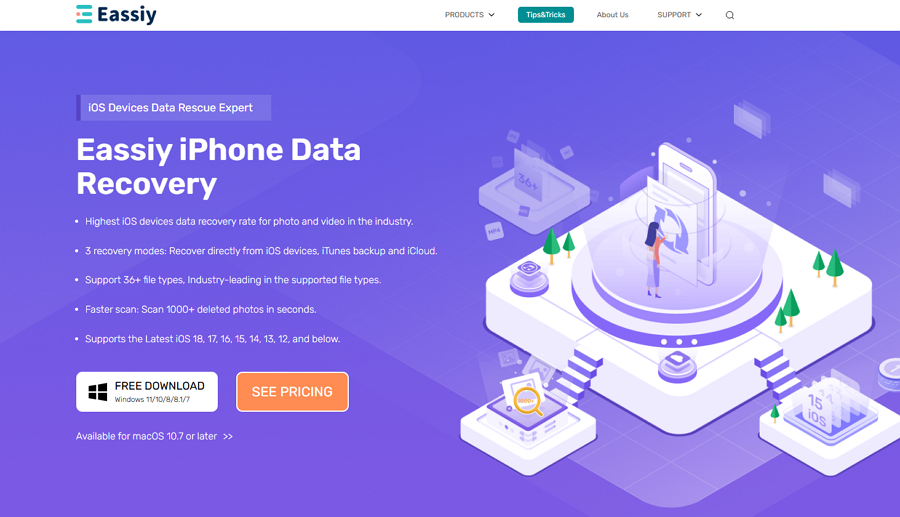
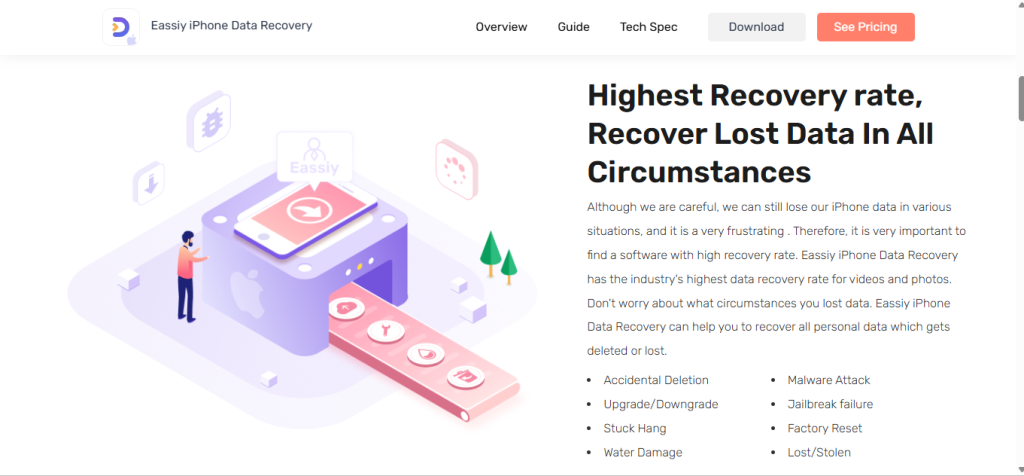
Eassiy iPhone Data Recovery performed the best in the test scenarios. It quickly detected deleted files, including photos that were no longer available in the “Recently Deleted” folder.
One of the most notable features was the preview option, which lets the user choose which pictures to recover – rather than recover everything at once.
The software worked best in a mixed-loss environment where photos, videos, and cached media were lost all at once.
Eassiy performed better recovery for:
It handled a wider range of data loss situations:
It’s very easy to use, even for users without any technical background:
Wondershare Dr Fone is one of the most established iPhone recovery tools in the market, widely used for basic data recovery needs. In normal conditions, like unintentional deletion and during regular device scans, it performed steadily during testing.
The software is simple to use, and thus, it is ideal to those users who are new to data recovery. However, its performance varies depending on the complexity of data loss.
Tenpay UltData is a product that is specialised and selective in data recovery, and thus it is particularly helpful when the user requires restoring certain types of files, like WhatsApp messages or App data.
In our testing, it showed good results in rapid scanning and demonstrated good results in app-based recovery. However, its effectiveness decreases when dealing with full-device deep recovery cases.
iMyFone D-back offers a more enhanced and customizable recovery solution, and it is targeted at users who require more power in terms of recovery choices. It was good in tests of backup-based recovery, and it has provided good scanning results with various types of data.
However, compared to beginner-focused tools, it requires a slightly higher level of user understanding.
Good for basic recovery, but not the more demanding situations of deep scan.
Less than intuitive interface, and not all permanent deletion cases are recoverable.
Accurate scanning but slower processing compared to modern competitors.
Budget-friendly option with limited advanced recovery capabilities.
The Balanced tool is good for casual usage, but not as deep as the other tools.
Fairly good for Windows systems, with some inconsistencies in large-scale recovery.
| Software | Photos Found | Photos Recovered |
| Eassiy | 512 | 486 |
| Dr.Fone | 505 | 472 |
| UltData | 498 | 430 |
| D-Back | 503 | 461 |
| iToolab RecoverGo iOS | 490 | 415 |
| PhoneRescue | 488 | 402 |
| Stellar | 495 | 410 |
| Leawo | 470 | 380 |
| FonePaw | 485 | 395 |
| 4DDiG | 482 | 388 |
Eassiy iPhone Data Recovery
Dr.Fone
UltData
Leawo iOS Data Recovery
From 10 tools tested, the most obvious difference wasn’t in the features offered, but rather whether the software could recover important photos when they were needed most.
Eassiy stood out because it consistently delivered:
It was not only effective in ideal places, but it was also making good progress in coping with messy data loss scenarios where many tools faltered.
Frequently Asked Questions:
Can permanently deleted photos on an iPhone be recovered?
Yes, but if there’s a backup or if the data has been overwritten.
Does iPhone photo recovery software really work?
Yes, but it depends on the data quality and tool.
Is Eassiy iPhone Data Recovery safe?
Yes, it is a process of reading and not changing existing data.
Can I recover photos without iCloud backup?
Yes, some tools are able to pull directly from the device.
What is the best iPhone photo recovery software?
On testing, Eassiy iPhone Data Recovery proved to be the most consistent.
