Physical Address
304 North Cardinal St.
Dorchester Center, MA 02124
Physical Address
304 North Cardinal St.
Dorchester Center, MA 02124

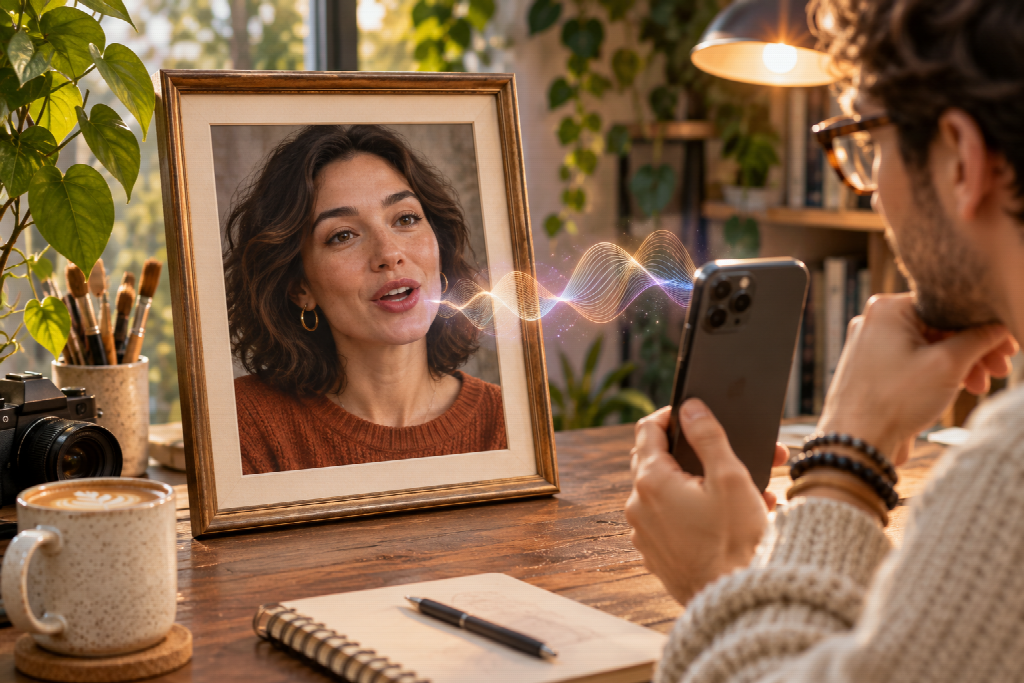
A profile picture can tell people who they are looking at, but it cannot explain much on its own. A talking avatar gives that familiar portrait a short line to deliver. It might welcome new followers, introduce a series or let an illustrated character speak in its own voice.
The format begins with an image and ends as a video, so the source photo matters. The script and audio matter just as much. A clear portrait can still feel awkward if the words are too long or the voice does not fit the person on screen.
I would start by deciding why the portrait needs to speak. If the message is only a greeting, a caption may be enough. If the character is introducing an idea or asking viewers a question, movement and voice can add something the still image cannot.
Short introductions are a natural fit for talking avatars. A creator could use one to explain what a channel covers, while a fictional character might deliver a line that continues an existing story. Event reminders, seasonal greetings and short updates can work too, as long as the message stays focused.
The format becomes less useful when a video depends on gestures, demonstrations or interaction between several people. A single portrait is built around one face. It may not be the right choice for showing how to assemble a product or act out a conversation.
Before making a clip, I would ask what the viewer should remember afterward. If the answer is “the avatar looked surprising,” the video may rely too heavily on novelty. A better reason to use it might be to give a recurring character a consistent voice or to make a short welcome message feel more personal.
A portrait can look sharp on a large screen and lose definition when it is reduced to a social post. I would check the crop at roughly the size where people will watch the finished video. The eyes and mouth should remain easy to see.
A front-facing face with clear lighting is a practical starting point. Hair, hands or accessories that cover the mouth can make lip movement harder to judge. A pronounced side angle or several faces in the frame can also make it unclear who is supposed to speak.
Think about the final aspect ratio before choosing the photo. A square portrait may need a tighter crop for a vertical video, and that crop could cut off the top of the head or shoulders. If the source image is too close, the finished clip may feel cramped.
Illustrations and fictional characters can work well when their style matches the content. A cartoon host can deliver a playful line; a realistic portrait may suit a straightforward introduction. Pet photos can also be used for light, character-driven content, provided the result is presented as creative animation rather than a real recording.
The image should be one the creator owns or has permission to use. A photo being visible on a public account does not mean it is free to animate.
A short script often needs editing after it is written. Long sentences can sound hurried, especially when the voice has to fit a brief clip. Reading the copy aloud helps reveal awkward phrasing and places where a pause would feel unnatural.
I would give each video one main message. The opening can identify the subject, the middle can add one useful detail and the ending can invite a response if that suits the post. There is no need to add several calls to action.
For example, an illustration account might use this line:
I’m trying a new palette this week, with colours inspired by late afternoon light. Which version should I finish?
The script gives the character a reason to speak and gives the viewer something specific to answer. A general line about creativity would be less memorable.
The voice should fit the image. A relaxed illustrated character may sound conversational. A professional presenter might need a steadier delivery. When the wording and voice feel mismatched, the avatar can seem like a stock template rather than a person or character with a point of view.
Some workflows begin with typed words and a generated voice. Others use an existing recording or a song. The choice changes the feel of the clip. Text to speech can make revisions simple, while a personal recording may retain a familiar accent, pace or emphasis.
AvatarCraft AI can pair a single photo with a script, recording or song to create a talking or singing video with lip sync. The service supports portraits, illustrations and pet photos. A finished render still needs a careful review before it is posted.
If using a recording, listen to the audio on its own first. Background noise, clipped words or long pauses can make a video feel unfinished. Replacing the image will not fix an unclear recording. A short retake may be the better solution.
Singing photos need an extra rights check. The creator should have permission to use the song, just as they should have permission to animate the image. Music that can be played online is not automatically cleared for every new use.
The first preview can be misleading if the creator only watches once. I would check the face movement without sound, then listen to the audio separately, and finally view them together.
With the sound off, look for expressions or mouth movements that repeat too obviously. Listen without the image to judge whether the words are clear and the pacing feels natural. Then watch the full clip and decide whether the expression, voice and message fit.
A mismatch can be small but noticeable. A cheerful smile paired with a serious announcement may distract the viewer. A long pause in the recording can leave the face apparently frozen. A fast line may make the mouth movements look rushed.
Make one adjustment at a time. Shorten the script if it feels hurried. Re-record the audio if the delivery is flat. Change the source image if the face is unclear. That makes it easier to see which change improved the result.
Check the clip at the size and shape in which it will appear. A detail that looks fine in a large preview might disappear on a phone. A small facial movement may also seem more pronounced when viewed close up.
A synthetic voice paired with a real face can make it appear that someone said something they never recorded. The creator should have permission to use the image and should not make a person seem to endorse a product or express a view without their agreement.
Context can help viewers understand what they are watching. If the clip could be mistaken for a real recording, an explanation or label may be appropriate. The same consideration applies when an avatar resembles a particular person, even if the source is stylised.
It is also sensible to check the service’s current privacy and file retention terms before uploading a personal photo or recording. Scripts should not contain private information that the video does not need.
Talking avatars work best when the words have a clear purpose. A portrait does not need a voice in every post. When it does speak, a short line that fits the character will usually feel more natural than a longer script written to fill the available time.
