Physical Address
304 North Cardinal St.
Dorchester Center, MA 02124
Physical Address
304 North Cardinal St.
Dorchester Center, MA 02124

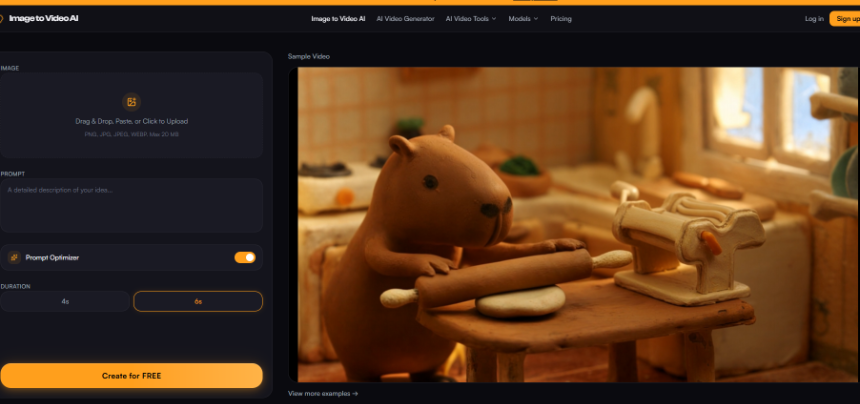
Social teams that live inside browser resize tabs know the hidden tax: every platform wants a different frame, and every re-export is another chance for text to drift or a logo to clip. When I tested whether ai image to video could respect those finished crops, the pass rule was blunt — if the first frame did not match the PNG we already approved for upload, the clip never reached scheduling.
Motion was supposed to fix engagement, yet most image-to-video tools assume you will round-trip through a desktop editor just to match aspect ratios you already solved in a crop tool. That mismatch burns an afternoon fast: strategists re-open masters, designers nudge safe zones again, and media buyers delay flights because “vertical” arrived as a center-crop surprise. I wanted a generator that accepts the exact square or vertical export sitting in our resize folder — not a cinematic canvas that ignores ops work.
Most multi-format desks follow a repeatable loop. Design drops a master visual. Ops runs it through resizers for each destination. Copy checks safe zones. Only then does anyone ask for movement. When motion tools ignore that sequence, you get the familiar failure: a 1:1 product tile looks fine as a still, then the generated clip reframes the bottle or crops the price tag because the model assumed a widescreen canvas.
Browser-first utilities — the kind you use when you need a LinkedIn banner or a TikTok thumbnail in minutes — train teams to treat the cropped file as the source of truth. Adding video should extend that file, not replace it. Image to Video AI fits that mental model because the entry point is a single upload box (PNG, JPG, JPEG, or WEBP up to 20 MB) rather than a timeline with nested sequences.
In our desk, the expensive mistake was not bad motion — it was motion on the wrong aspect ratio. We once shipped a promo where the discount code lived in pixels the auto-reframe removed; engagement looked fine in preview, but conversions flatlined because the offer never appeared in the cropped player most users saw.
Start with the platform-specific export you would actually publish. If the Instagram grid cell is 1080×1080, upload that square — not the 4000-pixel master with guides still visible. Drag-and-drop or paste works, which matters when you are bouncing between twelve tabs and do not want another import dialog.
Before you generate, pick Duration — 4s for feed loops that need to replay cleanly, 6s when you want a slower reveal for Stories or Pinterest Idea Pins. That toggle is easy to skip, yet it controls how much motion fits inside autoplay loops that cut off early on some networks. We learned to match duration to the placement first; asking for six seconds of drift on a four-second autoplay slot guarantees a mid-gesture cut that looks like an editing error.
Write prompts like art direction notes, not screenplay pages. For product stills I use short cues — slow zoom in, soft shadow drift, gentle fabric sway — because aggressive camera verbs fight tight crops. The Prompt Optimizer button is worth tapping when you only have five words and need the model to expand them without inventing new objects off the edge of the frame.
Image to Video AI reads the image and the prompt together, which is the behavior you want when the crop already removed distractions. You are not asking it to find the subject; you are asking it to animate the subject that survived your resize pass. When parallax pulls background signage that was barely outside the safe zone, that is a soft fail — usable for internal review, not for paid placement until you re-crop tighter.
Here is the desk protocol we now use after a campaign still is approved.
| Step | What we lock | Pass signal |
| 1 | Export square, vertical, and landscape crops from the same approved still | Text and logos stay inside safe zones on all three |
| 2 | Upload each crop separately with a duration matched to the destination loop | No automatic reframing that cuts product edges |
| 3 | Preview beside the source PNG before scheduling | First frame matches still; corners stay clean |
The table looks simple, but it replaced hours of back-and-forth where motion clips failed QC because someone animated the wrong aspect ratio and hoped scheduling tools would center-crop later. Center-crop is where offers disappear.
For teams already living in lightweight image utilities, this is the difference between motion as a Friday experiment and motion as a Tuesday batch task. You keep the resize discipline you trust; the generator adds movement on top. On a recent footwear drop we ran eighteen crops through the same prompt family; twelve passed on first render, six needed tighter safe zones — still faster than rebuilding timelines in a desktop NLE.
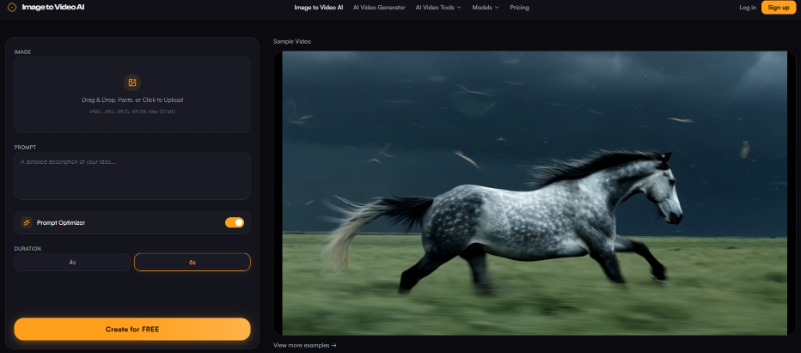
Paid social reviewers often catch problems editors miss on still approvals. A headline that clears a static mock can smear once parallax shifts the background. Running image to video ai on the exact asset slated for upload lets QA compare apples to apples — the still in the ad preview panel should match the first frame of the clip pixel for pixel.
When that match holds, you skip the usual rewrite loop where strategists ask for “the same thing but vertical” after seeing an off-crop video. The platform team publishes the crop; the motion pass respects it; media buyers stop renegotiating dimensions mid-flight. Output targets HD quality up to 1080p, which is enough for most feed placements without bloating mobile previews.
Speed still matters on same-day calendars. The pipeline is built for seconds-turnaround, which fits batch resize days more than cinema-grade offline renders. We time-box motion passes to the same meeting block as final crop sign-off so creative and ops argue about one file, not three versions scattered across Slack threads and late-night export folders.
Image to Video AI earns a slot in the resize-first stack when you treat each cropped export as the canonical asset and treat motion as a layer — not a reason to reopen the master PSD. Lock aspect ratio before generate, keep prompts subtle, and preview beside the still you already approved.
Teams that live in quick image utilities do not need another heavyweight NLE to test movement. They need a generator that accepts the files they already sized and returns clips that survive the same QC pass their stills just passed. That is a modest bar, but on multi-platform weeks it is the bar that actually protects revenue.
When in doubt, regenerate from the tighter crop rather than fighting a reframed export in post. The resize tab already did the hard framing work — motion should inherit it, not undo it overnight. That one habit saved us a reshoot on the last holiday catalog push.
