Physical Address
304 North Cardinal St.
Dorchester Center, MA 02124
Physical Address
304 North Cardinal St.
Dorchester Center, MA 02124

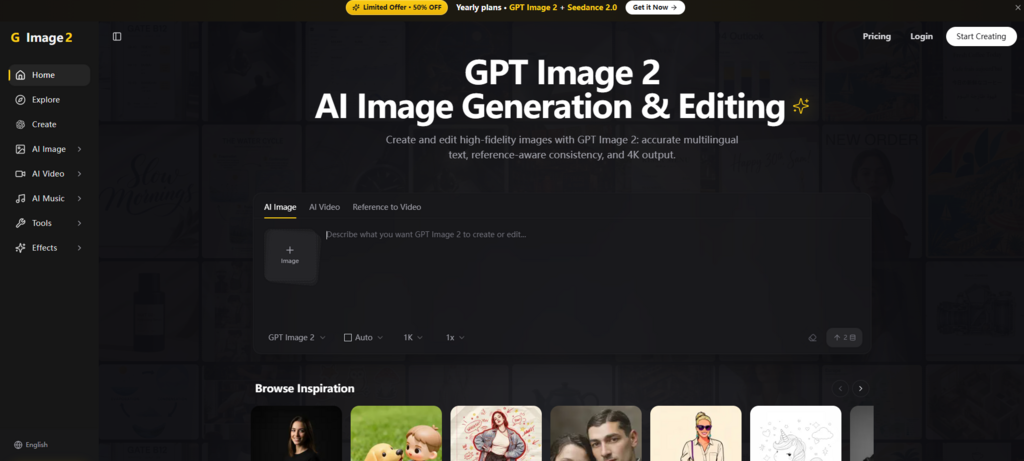
There is a moment in every AI image generation session where you squint at the output and ask yourself: “Is this actually usable, or am I just impressed because it’s marginally better than last week’s model?” That moment matters because it separates tools that are fun to play with from tools that are worth integrating into a real workflow.
I spent time with Image 2 to answer that question. The platform runs on GPT Image 2, a model that has been generating significant attention since its release. The question is not whether it is better than previous models—it clearly is. The question is whether the improvements translate into practical value for people who make things for a living.
The most obvious improvement is text rendering, and it is worth examining closely because this is where previous models fell shortest. GPT Image 2 renders text with what OpenAI describes as above 95% accuracy across Latin, Chinese, Japanese, Korean, Hindi, Bengali, and Arabic scripts. That number matters less than what it means in practice.
In previous models, embedded text was a persistent failure mode. Words would be misspelled, letters would merge, and the overall effect was unusable for anything that required actual communication. GPT Image 2 handles dense text, small lettering, and complex layouts like infographics, UI mockups, and marketing materials. The text is not just legible—it is properly typeset, with consistent kerning and alignment.
For a designer, this is the difference between generating a concept that needs to be entirely recreated in a layout tool and generating something that is nearly ready to ship. The model can produce posters, packaging, diagrams, infographics, magazine spreads, and product renderings where spatial composition and text placement are precise, not approximate.
The multilingual capability is particularly relevant for anyone working across markets. The model handles complex scripts that have tripped up earlier tools—Chinese characters with their dense stroke patterns, Arabic with its cursive connections, Japanese with its mix of scripts. The output is clean enough that you can generate assets for different regions without manually replacing text in post-production.
This is not just a convenience feature. For e-commerce brands, marketing teams, and agencies working with international clients, the ability to generate localized assets directly saves days of work. The model can handle text translation in images while preserving the original art direction, which means you can adapt a campaign for multiple markets without recreating the visuals from scratch.
The other major improvement is consistency. GPT Image 2 accepts up to 16 reference images per call, enabling style transfer, product consistency, and iterative editing. This is the kind of feature that sounds technical but has immediate practical implications.
If you are generating a series of product images, you need the product to look the same in every shot. The lighting should be consistent. The materials should read the same way. The proportions should align. Previous models made this difficult—each generation was essentially a fresh interpretation, and consistency was a matter of luck.
GPT Image 2 changes that. The model preserves identity, composition, and lighting while you adjust specific elements. You can generate a hero image, then generate supporting images, and they will feel like they belong to the same campaign. For brands with strict visual guidelines, this is essential.
The model also supports character consistency across different scenes. This is useful for storyboards, children’s books, comics, and any project where a character needs to appear in multiple contexts. The character looks the same across different scenes—same face, same proportions, same visual identity.
This capability has been highlighted in community testing as one of the model’s standout features. Recent tests have shown that GPT Image 2 performs at a high level in maintaining consistent characters across sequential images. For anyone producing narrative content, this is a significant step forward.
The editing capability is where the model reveals its production orientation. GPT Image 2 supports targeted changes without reinterpreting the entire image. This is a departure from earlier models where editing was essentially regeneration with a modified prompt.
The practical benefit is control. You can change the lighting, adjust the background, or swap an object without affecting the rest of the image. The model preserves what you want to keep and changes only what you specify. This makes the tool suitable for iterative workflows where you refine an image over multiple passes rather than generating from scratch each time.
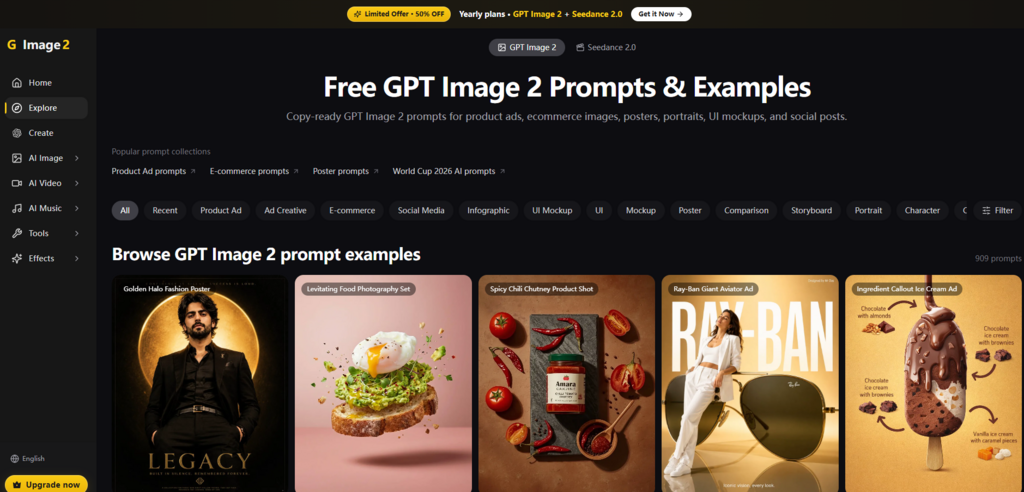
The editing interface is natural-language based. You describe the change you want, and the model executes it. This is more intuitive than slider-based controls or menu-driven adjustments. It also lowers the learning curve—if you can describe what you want, you can edit an image.
The model’s editing capabilities include style transfer, virtual clothing try-ons, product mockups, text translation in images, lighting adjustments, object removal, and scene compositing. You can insert people into new scenes while preserving their likeness, or swap furniture in room photos without changing the camera angle. These are tasks that previously required significant manual effort in traditional design tools.
The video capability is integrated into the same workflow as image generation and editing. This matters because it removes the friction of moving between tools. You can generate an image, decide it needs to move, and animate it without leaving the environment.
The platform supports image-to-video and reference-to-video generation. The video output aims for photorealism, with accurate lighting, believable materials, and rich textures. For social media content, advertising, and marketing, this is sufficient for many use cases.
The video capability is not positioned as a replacement for professional animation or VFX tools. It is positioned as a practical extension of the image workflow—useful for generating motion assets quickly without switching contexts.
The platform itself is clean and minimal. The Product Hunt page describes it as a fast, clean AI image platform focused on text-to-image generation, style-based creation, and simple tools like background removal, upscaling, and prompt generation. The aesthetic is functional rather than flashy, which is appropriate for a tool meant for work rather than play.
New users can get started with free credits on signup. This is useful for testing whether the platform fits your workflow before committing. For heavier usage, paid plans are available.
The platform is designed for creators, marketers, designers, and founders. The use cases are practical: product shots, ad creatives, posters, social media visuals, branded content, image restorations, background cutouts, 4K upscaled images, and cinematic image-to-video clips.
The platform is particularly valuable for:
The common thread is speed. The platform reduces the time between concept and output, which matters when deadlines are tight and volume is high.
No tool is perfect, and Image 2 is no exception. The quality of output depends heavily on prompt quality. Vague prompts produce vague results. Complex scenes may require multiple generations. The model’s performance on highly specific or unusual requests may vary, and results are not guaranteed to be identical every time.
The video capability, while useful, is still constrained by the current state of the technology. Motion physics and temporal coherence are hard problems that no model has fully solved. The platform’s integration of video is a strength, but it does not magically solve the underlying challenges of video generation.
The platform also does not position itself as a replacement for professional design tools. It is a production engine for AI-generated visuals, not a complete design suite. For final polish, you may still need to export to other tools.
GPT Image 2 represents a meaningful step forward in AI image generation, particularly in text rendering and consistency. These are not incremental improvements—they address the specific pain points that have made previous models difficult to use in production workflows.
The platform that wraps the model—Image 2—is designed to reduce friction. The consolidated workflow, the natural-language editing, and the integrated video capability all point in the same direction: making AI image generation practical for people who need to ship work, not just experiment.
The GPT Image 2 model is not the end of the journey, but it is a significant milestone. For creators who have been waiting for AI image generation to become genuinely usable, this is the moment worth paying attention to.
